Spatial software · Applied AI
Turn architectural information into a place people can explore.
Scope
- Product interface
- React development
- Three.js integration
- AI integration
- Export workflows
The brief
Make an architectural project understandable before it is built. Habitat Render, published as Habitat Engine, brings the Decumana 62 project’s units, plans, commercial information and visualizations into a single interactive workspace.
The work
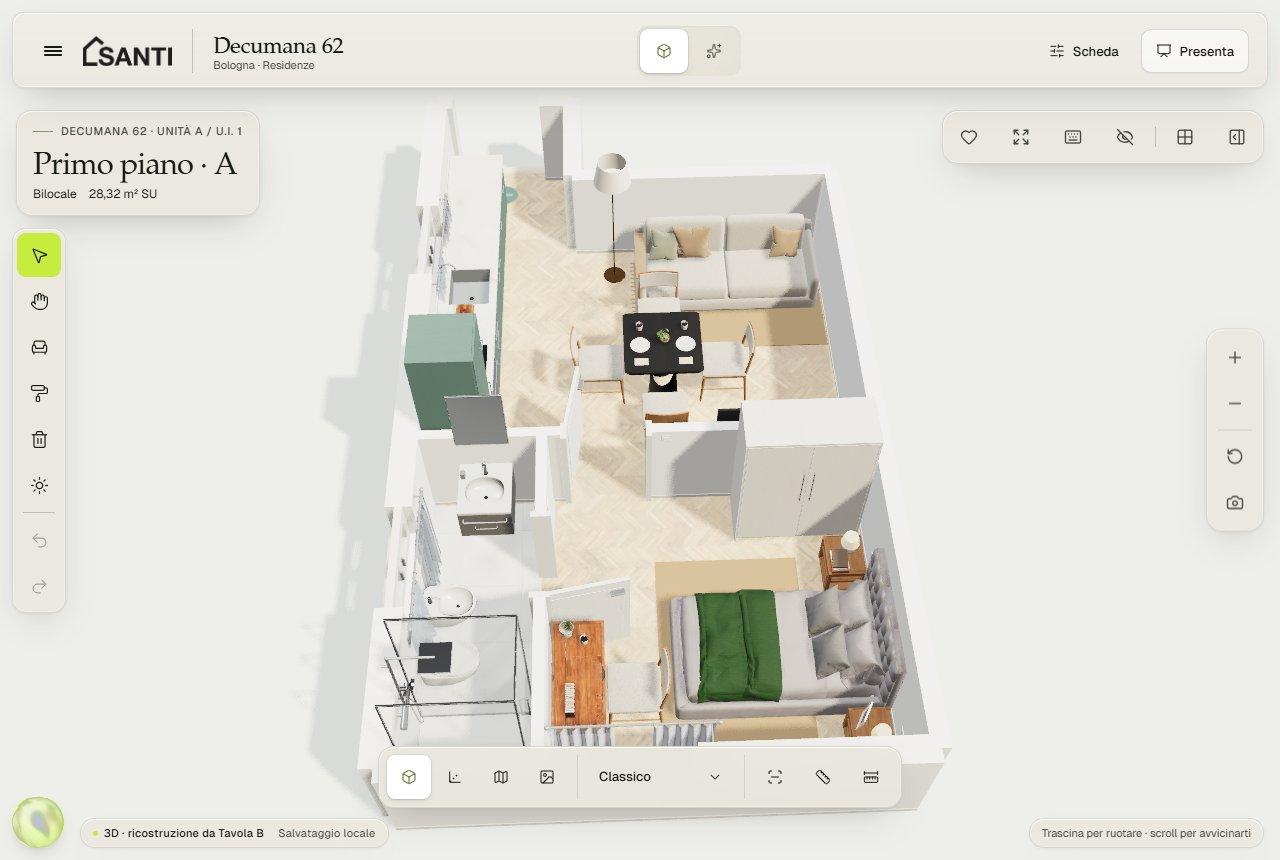
I integrated the Three.js engine and project geometry into an independent Next.js application and rewrote the interface in React. The workspace combines structured project data with a navigable 3D scene, clear contextual controls and export tools for sharing what is on screen.
One workspace, several ways to understand a home.
The interface supports unit selection, floor plans, first-person exploration and side-by-side unit comparison. Technical and realistic views expose different information, with furniture, measurements, lighting and camera controls available in context.
AI with a defined role.
The OpenAI assistant is grounded in the public project dossier. A separate Gemini integration creates an AI render from a user-approved viewport capture. These are distinct server-side flows with validation and authorization; opening the interface does not automatically start a paid generation.
Useful outside the viewer.
PNG captures, GLB exports, printable property sheets and validated JSON backups let people take information out of the workspace. Commercial data and saved views are local to the browser in this version. Render imagery provides a fallback when WebGL is unavailable.
Behind the experience
Inside the build.
An independent architectural sales workspace for Decumana 62, with interactive 3D, project information, controlled AI workflows and export tools.
Capabilities & deliverables
- Published as Habitat Engine; first project: Decumana 62
- Unit comparison, floor plans and first-person walkthroughs
- PBR materials, sun studies and interactive furniture
- PNG and GLB exports, printable sheets and local JSON backups
- WebGL fallback imagery; AI rendering requires server configuration
APIs & integrations
- OpenAI assistant grounded in the public project dossier
- Gemini image-generation API for requested AI renders
- Server-side authorization and response validation